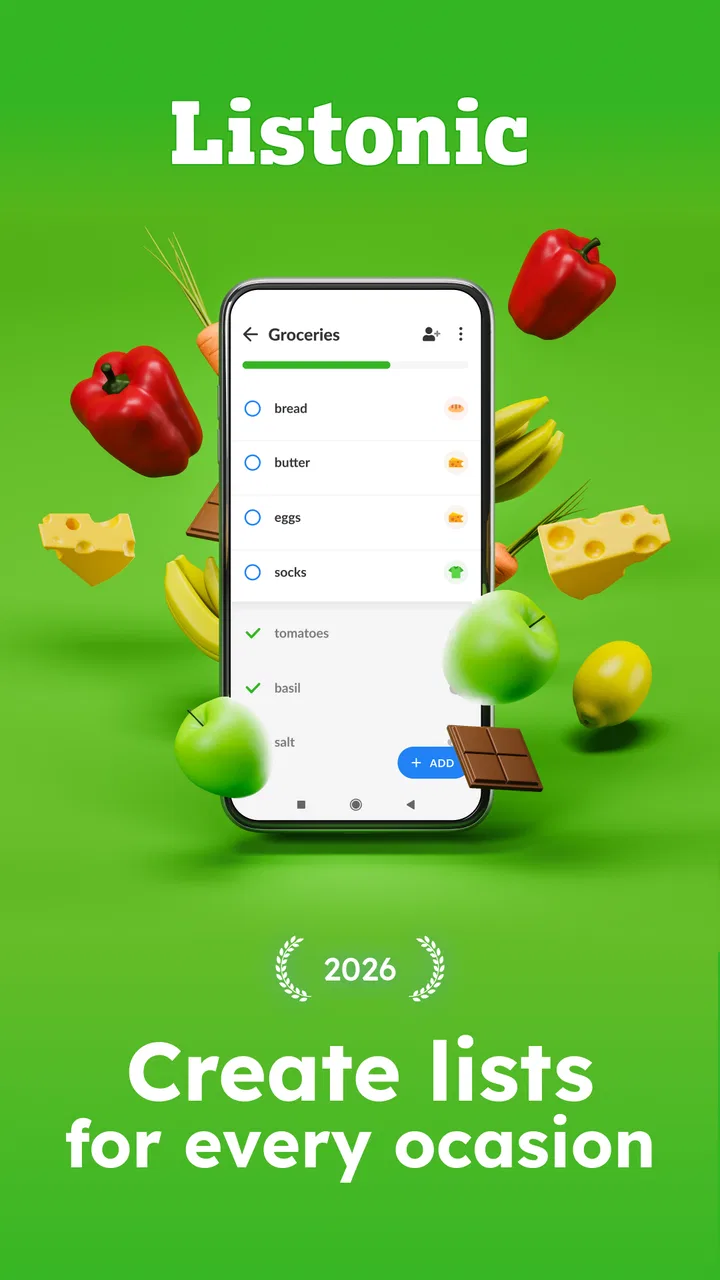
Shopping List - Listonic
- 4.6
- Rating
- 10.00M
- Installs
- Free
- Price

 Analysis by App-foxy
Shopping List - Listonic is the kind of app I reach for when a supermarket trip is starting to feel more complicated than it should. It is a free shopping app from Listonic - Smart Grocery Shopping, built around creating and managing grocery lists without turning the task into a project. I found the experience most useful when I wanted to get items out of my head quickly, keep the list readable while walking through a store, and avoid the familiar problem of remembering something only after reaching the checkout.
The first thing to understand is its focus. This is not a recipe platform, a full household-management system, or a replacement for a retailer’s ordering service. It is a practical grocery list app. That narrow purpose is a strength: the main job is to make a list, adjust it, and use it while shopping. If you prefer a lightweight tool that stays close to that everyday task, it is easy to appreciate. If you expect detailed meal planning, automatic supermarket delivery, or deep budgeting controls, you may find the scope limited.
Getting from installation to a useful first list
I’d make the first list for a real trip and keep it deliberately small: a few groceries and one household essential are enough to see whether the app fits your routine. As you use it, notice which entries need clearer wording and which order makes sense for your usual store; those choices shape how smoothly the list works once you’re in the aisles.
You May Also Like

 Blood Strike: 2.5 Anniversary
Blood Strike’s Loadouts Turn Every Drop Into a Tactical Gamble
A close look at Blood Strike’s custom loadouts: how fast access to signature weapons reshapes its battle royale rhythm, rewards preparation, and narrows the gap between fights.

 Pandora - Music & Podcasts
Pandora’s Music Is Easy to Start, but Harder to Recover
Pandora’s strength is its low-effort path from a seed to a station. Its weak spot is how much confidence it asks you to place in connection, setup, and quiet recovery.

 8 Ball Pool
 Is Built on Rivalries, Rematches, and Routine
A close look at the rivalries, rematches, shared routines, and unanswered safety questions that turn a quick pool match into a persistent mobile community.

 Samsung Music
’s Quiet Strength Is Playing What You Already Own
Its reach comes less from spectacle than from dependable access to a personal library. That simplicity is both the app’s strongest retention engine and its ceiling.

 AccuWeather: Weather Radar
AccuWeather Review: A Quick, Clear Forecast for Everyday Decisions
For everyday plans, the best forecast is the one you can understand quickly. AccuWeather makes rain timing, radar, and local conditions easy to act on, with a few trade-offs.

 Hill Climb Racing
Why Hill Climb Racing Still Turns Crashes Into One More Run
A tiny car, a bumpy hill and one more upgrade: Hill Climb Racing keeps resurfacing because its simple chaos makes every near-miss feel personal.
More From Our News Desk



What the first launch feels like
On my first run, I would approach the app with one simple goal rather than trying to explore everything at once: create a list for the next real shopping trip. That makes the value obvious quickly. Instead of adding random test items, I would start with the things I already know I need, such as milk, vegetables, coffee, and cleaning supplies. A list becomes useful when it reflects an actual errand, not when it is filled with examples that will never be bought.
The app is free to download, and its Everyone content rating makes it suitable for a broad household audience. It runs on Android versions from 7.0 onward, so it can be a sensible option if you are using an older supported phone rather than a recent flagship. The current version is 9.7.6, while the project itself has been available since April 20, 2010. That long presence helps explain why the concept feels familiar: it concentrates on a task people already understand instead of asking them to learn an elaborate system.
I would also set expectations around optional spending. The app is free, with in-app purchases ranging from $0.49 to $46.99 per item. For someone who only needs a basic list, the important point is that the core entry point does not require buying the app. Before paying for anything, I would use it on a normal shopping trip and decide whether any additional options solve a problem I genuinely have.
Building the first list without overthinking it
The fastest setup is to create one list for one occasion. I would name it after the purpose rather than making a giant permanent inventory: “Saturday groceries,” “weekly essentials,” or “holiday baking” is more practical than putting every possible household item in one place. A focused list is easier to scan and less likely to leave old items mixed with new ones.
When adding products, I recommend entering the wording you would actually recognize in a store. “Yogurt” may be enough for a quick trip, but “plain yogurt” or “large plain yogurt” is better if a household member might shop from the same list. This is one of the less obvious advantages of a digital list: you can make the instruction precise before you are standing in a noisy aisle trying to remember what somebody meant.
I would avoid adding a whole month of possibilities on the first day. Start with perhaps one meal, a few staples, and one non-food item. Once the list has helped you complete a real purchase, you will know whether you prefer short lists, recurring essentials, or separate lists for different kinds of shopping. That first successful trip teaches you more than filling the screen with every item you might need someday.
The first meaningful success is checking items off
The moment that matters is not creating the list; it is using it with one hand while shopping. I found the most satisfying workflow to be simple: glance at the next item, pick it up, mark it as completed, and continue. This prevents the list from becoming a static note that still requires mental tracking.
There is a useful mental shift here. A paper list tells you what you wrote down, but it does not help you distinguish what is still outstanding unless you cross things out carefully. A digital list gives the task a visible state. That is especially helpful when a trip is interrupted by a phone call, a child asking for something, or a detour to another aisle. After the interruption, I can look at the remaining entries instead of reconstructing the entire trip from memory.
For a realistic first outing, I would add ingredients for one dinner, breakfast basics, and one household product. In the store, I would mark each item immediately rather than waiting until the cart is full. That habit matters more than any advanced organization: delayed checking creates uncertainty, while immediate checking keeps the app aligned with the basket.
How I would organize a larger household list
As the list grows, wording and order become more important. I would group related items in a way that matches my usual route through the supermarket, even if that means adding them in a deliberate sequence. For example, fresh produce can stay together, followed by chilled products, pantry goods, and household supplies. The benefit is not cosmetic. Less backtracking means fewer chances to skip an item or buy something twice.
Another practical approach is to keep a small set of recurring essentials ready to reuse, while adding temporary items only when needed. I would not treat the list as a complete database of everything in the home. A permanent list can become cluttered with products that are not needed this week, and clutter weakens the app’s main advantage: quick recognition. The better trade-off is a reusable foundation plus a short trip-specific layer.
This is also where the app can help couples, families, or roommates, provided everyone agrees on clear names. “Soap” is ambiguous if there are several types at home. “Dish soap” and “hand soap” reduce follow-up messages. The app cannot resolve household disagreements about brands or sizes by itself, so the quality of the shared workflow depends on how carefully the original entries are written.
Common points of confusion before shopping
New users may expect the app to know what they need automatically. I would not use it with that assumption. Its central value is organizing the information I provide, not replacing the decisions behind the list. I still need to think about meals, check what is already in the cupboard, and decide whether a product is a one-off purchase or part of a regular routine.
It is also easy to confuse a checked item with a deleted item. For a normal trip, marking something as done is useful because it shows progress. Removing it immediately may make the list look clean, but it can also erase the record before I have finished shopping or before I want to reuse the item later. My preference is to treat completion as a shopping action and cleanup as a separate decision.
Another source of friction is vague quantity information. If I write “fruit,” I may still have to make the decision in the aisle. If I write “bananas for breakfasts,” I have more context, but I may still need to choose the amount. The app makes the reminder visible; it does not make an underspecified request precise. Spending a few extra seconds while creating the list saves more time later.
I would also be cautious about turning every list into a detailed product catalog. Extra notes can be valuable for dietary needs, preferred varieties, or a specific recipe, but too much detail makes scanning slower. The best entries contain the smallest amount of information that prevents a mistake.
A realistic weekly routine
Imagine I am shopping after work on a busy evening. Before leaving, I check the kitchen and add vegetables for dinner, bread, eggs, coffee, and laundry detergent. I place the items in a sensible order and add clarifying words where another shopper might misunderstand them. At the store, I mark each purchase as soon as it goes into the basket. When I reach the checkout, the remaining entries immediately show whether I missed something or deliberately skipped it.
The next week, I would not blindly copy everything. I would recreate the useful core and remove items that were specific to the previous trip. That small discipline keeps the list honest. It also reveals an important trade-off: a grocery list app saves mental effort, but it still rewards a few seconds of preparation. If I add items carelessly, the app faithfully preserves that confusion.
For a roommate arrangement, I would use consistent labels and agree on whether a checked item means “bought” or “someone is handling it.” For a family trip, I would put brand-sensitive or allergy-related details directly into the item wording. These are simple practices, but they make a bigger difference than decorative organization because they address the mistakes that actually happen in shared shopping.
Where it compares well with ordinary alternatives
Compared with a paper note, Listonic is easier to revise during the trip and less likely to become unreadable after several crossings-out. Compared with a basic notes app, it keeps the shopping task more focused: I am not scrolling past unrelated reminders, messages, or copied text. That focus is valuable when I am moving quickly through a store.
The trade-off is that a notes app can be more flexible for long instructions, recipes, or mixed errands. If my shopping plan includes detailed cooking steps, delivery addresses, and a list of questions for a store employee, a general notes tool may be better. Listonic makes more sense when the center of the task is a set of grocery entries that need to be managed while shopping.
Retailer-specific apps may be preferable when I care most about store inventory, delivery slots, loyalty offers, or placing an online order. Their strength is the shopping service around the products. This app’s strength is independence from one particular retailer. I can prepare a list for a local market, a supermarket, or a quick neighborhood stop without rebuilding the entire workflow around one store.
Dedicated meal-planning tools can also be a better fit for someone who wants recipes to generate a structured plan. I would choose Listonic when I already know what I need and want a clean way to remember it. I would choose a more specialized planner when deciding what to cook is the main problem.
Who should use it, and who should skip it
I think it is a strong match for busy shoppers, families, roommates, and anyone who regularly forgets one or two essentials. It is also useful for people who want to move away from paper without adopting a complicated productivity system. The app’s broad reach reflects that practical appeal: it has an average rating of 4.7 from around 310 thousand ratings, and it has passed 10 million installs.
I would be more hesitant to recommend it to someone seeking detailed price comparison, automatic stock tracking at home, or a complete meal-planning workspace. Those needs go beyond a focused grocery list. I would also skip it if I enjoy writing a quick disposable note and never need to update it; installing a dedicated app may add more structure than that person wants.
People who dislike entering information manually should think about the trade-off before committing. The app makes list management easier, but it does not remove the need to decide what belongs on the list. Its best results come from users who value a reliable checklist and are willing to spend a little time creating clear entries.
My next-step advice after the first trip
After completing the first shop, I would review which entries caused hesitation. If “snacks” was too broad, make it specific next time. If the list forced unnecessary backtracking, change the order. If a recurring essential was forgotten, add it to the regular starting set. This turns the app from a one-time reminder into a small, personalized routine without requiring a complicated setup.
I would also test the app in the situation that matters most to me before considering any in-app purchase. A person shopping alone should check whether the list is comfortable to operate while carrying a basket. A household should see whether everyone uses the same naming style. Someone with an older phone should confirm that the supported Android requirement fits their device. These are practical checks, and they reveal more than simply browsing the opening screen.
Overall, I see Shopping List - Listonic as a focused tool that succeeds by staying close to the ordinary grocery trip. It helps me convert scattered thoughts into a usable sequence, keep track of what is already in the basket, and reduce the small memory failures that make shopping frustrating. Its biggest strength is not complexity but dependable clarity at the moment I need it.
I would recommend it to a friend who wants a dedicated, free starting point for grocery organization, especially if paper notes and ordinary phone memos keep letting items slip through. I would not present it as an all-purpose household planner, because that would create the wrong expectation. Used for its real purpose, it offers a reassuring path from “I need to remember a few things” to “the trip is finished and the list is under control.”
FAQs for Shopping List - Listonic
01What features does Shopping List - Listonic offer to enhance the shopping experience?
Shopping List - Listonic provides several features designed to make shopping more efficient and enjoyable. It offers smart sorting of items based on store layout, voice input for hands-free list creation, and real-time syncing across devices. Additionally, users can access nutritional information, share lists with family or friends, and manage multiple lists simultaneously.
02Is Shopping List - Listonic available on both Android and iOS devices?
Yes, Shopping List - Listonic is available for download on both Android and iOS platforms. Users can find the app on the Google Play Store for Android devices and the Apple App Store for iOS devices. The app is designed to work seamlessly across different operating systems, ensuring accessibility for all users.
03Does Shopping List - Listonic require an internet connection to function?
While Shopping List - Listonic can be used offline for creating and managing lists, certain features like real-time syncing, sharing lists with others, and accessing cloud storage require an internet connection. Users can still utilize most basic functionalities offline, and changes will update once the device reconnects to the internet.
04Are there any in-app purchases or subscription fees for Shopping List - Listonic?
Shopping List - Listonic offers a free version with essential features. However, users can opt for in-app purchases or subscribe to a premium version for additional features like ad-free usage, advanced customization options, and enhanced cloud storage. Pricing details and options can be found within the app’s settings menu.
05How does Shopping List - Listonic handle user data and privacy?
Shopping List - Listonic prioritizes user privacy and data security. The app complies with data protection regulations and offers options for users to manage their personal information. Data is encrypted, and users have control over what information is shared or synced across devices. Detailed privacy policies are available within the app.
Pros
- Simple and intuitive interface.
- Syncs across multiple devices.
- Voice input for quick list creation.
- Supports multiple languages.
- Offline access available.
Cons
- Ads can be intrusive.
- Limited features in free version.
- Occasional syncing delays.
- No barcode scanning feature.
- Customization options are limited.

Shopping List - Listonic
Gallery